
Marathon Health
Marathon HealthMedical
3.588.00 Reviews
- Version
- 2026.6.5
- Installs
- 50.00K
- Age Rating
- Everyone
Screenshots
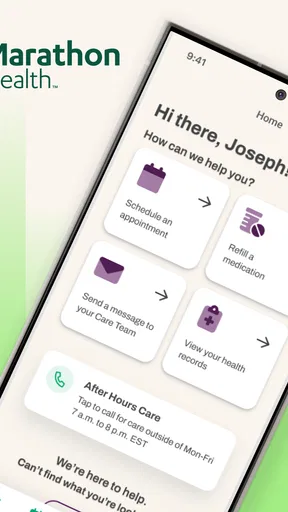
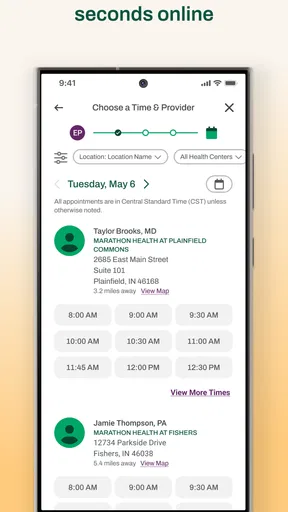
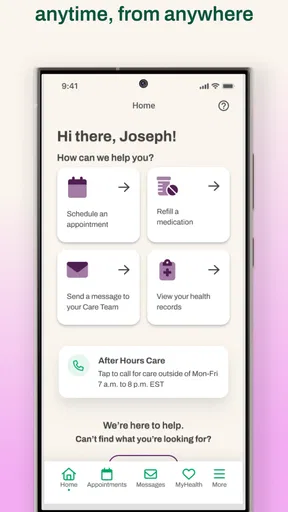
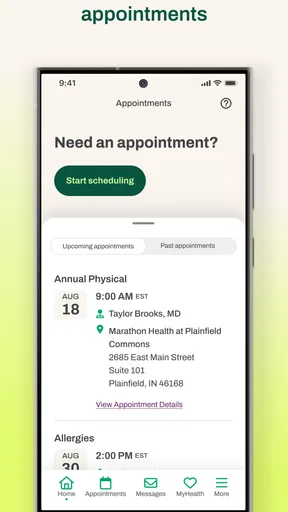
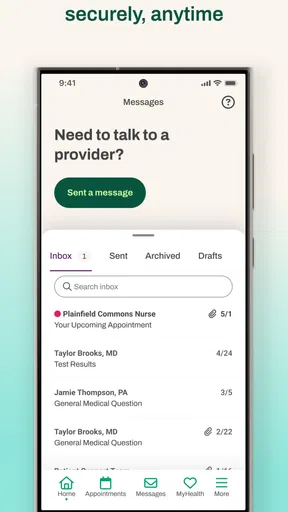
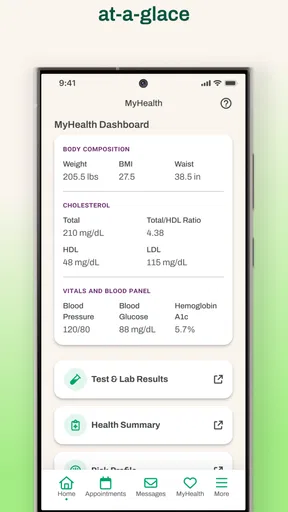
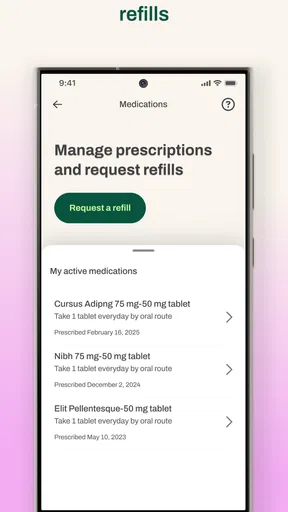
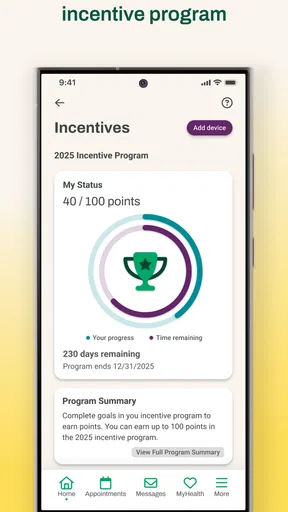
Our Review of Marathon Health
 Analysis by Appyee
Marathon Health is a free medical app from Marathon Health that aims to stay close to the user’s everyday health needs. I approached it less like a general wellness tracker and more like a digital front door to a healthcare service. That distinction matters: a medical app earns trust through clear choices, sensible account handling, and careful treatment of personal information, not simply through a polished interface.
My overall impression is cautious but useful. The app has a 3.5 average from around 180 ratings, and its audience is already fairly established, with over 50 thousand installs. Those figures suggest a real user base, while also reminding me that the experience may not feel equally smooth for everyone. It is free to install, rated for Everyone, and belongs to the medical category rather than entertainment or general lifestyle software.
I would recommend trying it if Marathon Health is already part of your healthcare arrangements or if you have a clear reason to use its digital services. I would not install it expecting a universal replacement for a doctor, an emergency service, or a broad fitness platform. Its value depends heavily on whether its healthcare connection is relevant to you.
What using Marathon Health feels like in a real healthcare routine
The most practical way to judge this app is to imagine an ordinary week rather than a dramatic medical situation. You might need to check something related to your care, prepare for an appointment, or handle a health-related task while away from a computer. In that setting, a dedicated medical app can be more convenient than searching through email, opening a browser, or trying to remember which healthcare page to use.
I find that kind of focused role more convincing than apps that try to become a complete health universe. Marathon Health’s identity is clear: it is a service app connected to a healthcare provider, not a social feed and not a game-like habit tracker. The store summary, “By your side for better health,” is broad, but the useful interpretation is simple: the app is intended to support an ongoing relationship with care.
That also creates the first important limitation. A healthcare app is only as useful as the services available to the person signing in. If you are not connected to Marathon Health in a meaningful way, there may be little reason to keep it installed. Someone looking for calorie logging, detailed exercise charts, medication reminders, or a standalone symptom checker would probably be better served by an app designed specifically for that job.
In my view, the best use case is continuity. Instead of treating the app as a source of medical answers, I would use it as one controlled place for interactions that already belong to my healthcare routine. That mindset helps avoid a common mistake: assuming that a convenient interface can replace professional judgment.
Trust begins before the first useful screen
Medical apps ask for a different level of attention during setup. I do not judge them only by how quickly they open or how attractive the menus look. I want to know what the app asks me to do, which account I am using, and whether the choices presented during access feel understandable. With health-related information, a rushed tap can have more consequences than it would in a shopping or entertainment app.
For that reason, I would take a slower approach with Marathon Health. I would install it from the official app marketplace, read each sign-in or registration screen carefully, and avoid granting access to anything that does not make sense for the task at hand. I would also make sure I am using my own account and a private device, especially if the phone is shared with family members.
The developer name shown for the app is Marathon Health, which gives the product a direct connection to the organization it represents rather than making it look like an unrelated utility. That is helpful context, but it is not a reason to become careless. A recognizable developer does not eliminate the need to review account prompts, device access, and the information displayed after login.
Another detail worth keeping in mind is the app’s age and maintenance context. It was released on June 17, 2021, and the current version is 2026.6.5. I read that as a sign that the app has continued through version changes, but I would still pay attention to how the current build behaves on my particular phone. A newer version number can improve compatibility while also changing navigation or account flows, so users returning after a long break should not assume everything will look exactly as before.
Account control matters more than visual polish
When I use a medical service app, I want the account boundary to be obvious. I should be able to tell when I am signed in, recognize whose information is being shown, and understand what happens if I sign out. These are not glamorous features, but they are the controls that prevent accidental exposure on a borrowed or shared device.
My practical advice is to finish each session deliberately. If you have used Marathon Health on a family tablet, a work phone, or a device that someone else may unlock, sign out rather than leaving the account open. I would also avoid saving credentials in a browser or password manager that other people can access without a separate device lock. That advice is especially important when an app is used for appointments, care conversations, or other personal matters.
A second useful habit is to separate convenience from necessity. If the app offers a choice between keeping a session active and signing in again later, I would choose based on the device and the sensitivity of the task. On a private, well-protected phone, staying signed in may save time. On a shared device, the extra sign-in step is a sensible trade-off.
I also would not use a medical app as a place to store information that I have not checked. If a profile detail, appointment item, or care-related message looks wrong, the right response is to verify it through the appropriate healthcare channel rather than repeatedly editing or guessing. Digital convenience is helpful, but it should not turn uncertainty into a permanent record.
Where data sensitivity changes the way I use it
Health information deserves a different routine from ordinary app activity. I would avoid opening Marathon Health while someone is looking over my shoulder, and I would be careful with screenshots, screen recording, and notification previews. Even when the app itself is behaving properly, a phone can reveal private details through recent-app views, lock-screen alerts, or cloud backups.
One small but important workflow is to review notification behavior after installation. If a message preview could reveal sensitive information, I would reduce the preview shown on the lock screen or disable notifications that are not essential. This is not a claim about what the app does internally; it is a user-side way to reduce accidental exposure on the device.
I would also think twice before using public Wi-Fi for a sensitive task. A trusted mobile connection or a private network is a more comfortable choice when reviewing personal healthcare information. The same principle applies to lending the phone to someone else: open the app only when you are ready to use it, then close or lock the device immediately afterward.
These precautions may sound obvious, but they are more useful than vague promises about security. Trust is built through visible behavior and user choices. I look for understandable prompts, clear account boundaries, and the ability to control what appears on my device. When those things are easy to manage, I feel more comfortable using a medical app regularly.
How it compares with ordinary alternatives
The usual alternative to a healthcare app is often not another app. It may be a website, a phone call, an email thread, or a paper reminder. Marathon Health can be more convenient than those options when the task is designed for mobile use and I already know where to go. A phone interface is particularly handy when I need to act between errands rather than sit at a desktop.
However, a website can sometimes be preferable for complicated information. A larger screen makes it easier to review several details at once, check a long message, or compare dates without repeatedly changing views. If I am managing a task that requires careful reading, I would not choose the app automatically just because it is on my phone.
A general wellness app is a different comparison altogether. Those products often focus on exercise, sleep, nutrition, or personal goals. Marathon Health should not be judged by the same checklist because its medical-service role is narrower. If your goal is a detailed training plan or long-term lifestyle charting, another category will likely suit you better. If your goal is to stay connected with a healthcare service, a dedicated app is more logical than forcing a fitness tracker to handle that relationship.
Phone support remains the better option when a situation is urgent, confusing, or emotionally difficult. I would not rely on any app as the first response to a serious emergency. Nor would I keep retrying a failed login when a time-sensitive healthcare issue needs attention. In those moments, direct professional contact is more important than the convenience of a digital interface.
Who will get the most from it
Marathon Health makes the most sense for people who already have a reason to interact with Marathon Health and prefer handling routine healthcare tasks from a phone. It may also suit users who want a single, recognizable place for that relationship instead of searching through saved browser tabs or old messages.
I would be more selective if you manage care for another person. Before using the app on someone else’s behalf, I would make sure the account arrangement and permissions are appropriate. A family connection does not automatically mean that sharing credentials is a good idea. Keeping each person’s account separate is usually easier to audit and less likely to expose unrelated information.
People who are uncomfortable with account setup should not feel pressured to use the app for every interaction. A digital channel is worthwhile only when it reduces effort without creating confusion. If you find yourself unsure which account is active, unable to tell what a prompt means, or worried about who can see the screen, pause and use a more direct support route.
The Everyone content rating makes the app broadly accessible from an age-classification perspective, but that does not mean every healthcare task is suitable for every user. A young person, caregiver, or dependent user may still need an adult or authorized healthcare contact to help with account decisions. The rating describes general content suitability, not personal medical independence.
Three habits that make the experience safer and calmer
First, I would create a short “before and after” routine. Before opening the app, check that the phone is private and the correct account is active. After finishing, review whether the session should remain open, clear sensitive previews from view, and lock the device. This takes little time and prevents convenience from becoming exposure.
Second, I would use the app for one clear purpose at a time. If I am checking a care-related item, I would avoid multitasking across unrelated screens or leaving the app open while handing my phone to someone. This keeps the session easier to understand and reduces the chance of acting on the wrong information.
Third, I would treat version updates as a reason to recheck habits, not just a background maintenance event. After moving to a new build, I would look again at sign-in behavior, notification previews, and any visible privacy choices. The current version is 2026.6.5, so users may encounter an interface that differs from an older installation. Relearning a few controls is preferable to assuming that old settings still behave the same way.
These are not advanced medical features, but they are advanced ways of using a medical app responsibly. The strongest benefit may come from reducing small points of friction around access and privacy rather than from spending more time inside the app.
Where my confidence stops
I like the idea of a focused healthcare companion, but I would not give Marathon Health unlimited trust merely because it carries a medical label. My confidence would depend on what I can see while using it: whether prompts are clear, whether account actions are understandable, and whether I can make sensible choices about access and notifications.
The rating of 3.5 from roughly 180 ratings also encourages a measured expectation. I would not interpret it as proof that the app is poor, but I would avoid assuming that every user has an effortless experience. Medical apps can be affected by account eligibility, healthcare workflows, device settings, and timing, so a problem may not always be solved by reinstalling the app.
If the app feels slow, confusing, or unavailable at the moment I need help, I would switch to the appropriate direct channel instead of treating it as the only route to care. That is the main trade-off: a dedicated app can simplify routine access, but it can also become frustrating when the task falls outside its digital workflow.
My cautious verdict is that Marathon Health is worth considering when it matches your existing healthcare relationship. It is free, broadly age-rated, and maintained as a medical app by Marathon Health, with a substantial installation base. I would recommend it as a convenient companion for relevant, routine interactions, provided you pay attention to account control, device privacy, and the limits of app-based care.
The best reason to use Marathon Health is not that it promises to manage every part of your health; it is that it may make one specific healthcare relationship easier to handle from your phone. If that relationship is yours, install it thoughtfully and judge it by the clarity of its controls and the usefulness of its everyday workflow. If it is not, choosing a general wellness tool, a browser, or direct professional support will probably be the better decision.
Verdict
Strengths of Marathon Health
- Convenient access to health resources and wellness support in one app.
- May help users track personal health goals and stay motivated.
- Useful for employees covered by participating Marathon Health programs.
- Can simplify communication with care teams and health services.
- Digital tools may reduce the need for some routine in-person visits.
Limitations of Marathon Health
- Availability and features may depend on an employer or plan membership.
- Some services may be limited by location or participating clinic networks.
- Account setup can require employment, insurance, or personal health details.
- Health information may raise privacy concerns for cautious users.
- The app cannot replace emergency care or a comprehensive medical evaluation.
Similar Picks in This Category
View All
WebMD: Symptom Checker
WebMD, LLC4.1

Microphone Amplifier
DOSA Apps4.2

Anatomy Learning - 3D Anatomy
3D Medical OU4.5

Period Tracker and Calendar
SimpleInnovation4.9

GoodRx: Prescription Coupons
GoodRx4.8

CVS Health
CVS Pharmacy4.5
Frequently Asked Questions
What is Marathon Health, and what can I use the app for?
Marathon Health is a digital healthcare platform designed to help eligible members connect with Marathon Health services and manage parts of their care from a mobile device. Depending on your employer, plan, and location, the app may provide access to health resources, appointment information, care navigation, wellness tools, messages, and other member features. Available options can vary, so the app is most useful when connected to an eligible Marathon Health account.
Who can use the Marathon Health app?
The Marathon Health app is generally intended for people who receive access through a participating employer, organization, or healthcare program. You may need to be an eligible member and create an account using information associated with your benefits. Family or dependent access may also depend on the plan rules. If registration does not work, confirm your eligibility with your employer or Marathon Health support before assuming there is a technical problem.
Can I schedule appointments or communicate with a healthcare team through Marathon Health?
Depending on the services enabled for your account, Marathon Health may allow you to view care options, request or manage appointments, and communicate with healthcare professionals or support staff. The exact process and availability can differ by clinic, employer plan, and location. The app should not be treated as an emergency service; for urgent or life-threatening symptoms, contact local emergency services or seek immediate medical attention.
Does Marathon Health replace a doctor visit or provide emergency medical care?
No. Marathon Health can make routine healthcare access, communication, and wellness management more convenient, but it does not replace in-person medical evaluation when one is necessary. The app is also not designed for emergencies. If you experience severe symptoms, chest pain, difficulty breathing, signs of stroke, or another urgent condition, call emergency services immediately rather than waiting for an app response or appointment.
Is my personal health information secure when using Marathon Health?
Marathon Health handles sensitive personal and health information, so users should review the platform’s privacy policy and use the app only on a secure, updated device. Protect your login credentials, avoid sharing verification codes, and enable device security such as a passcode or biometric lock. Privacy practices, data sharing, and available controls may depend on your account and applicable healthcare regulations.
